
Ask your question where you practise.
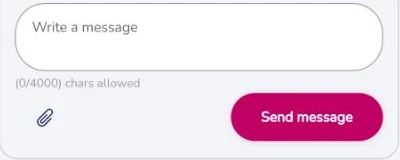
Open Support in the app header to leave a message. The panel lets you describe the problem and add an attachment. The team replies when available; you can return to the conversation in the app.
A question shouldn't stop your preparation
Need help finding your way around, accessing your account or understanding where to start? PTE Ultra gives you ways to contact the team while you keep your preparation in one place.
Choose the contact route that works for you
SEE IT. UNDERSTAND IT. TRY IT.
Open Support in the app header to leave a message. The panel lets you describe the problem and add an attachment. The team replies when available; you can return to the conversation in the app.
Open Support in the app header to leave a message. The panel lets you describe the problem and add an attachment. The team replies when available; you can return to the conversation in the app.
Open Practice, choose your exam and select Speaking, Writing, Reading or Listening. Task buttons take you into the relevant question library; completion and difficulty filters help you choose what comes next.
Your active day brings the next task, question count and planned time together. Follow the ordered steps instead of spending your study time deciding what to do.
BUILT FOR YOUR NEXT SESSION
Open the Chat with Us button on this page to choose WhatsApp, Messenger or Instagram. Choose the channel you prefer to contact the PTE Ultra team.
Open Support in the app header to leave a message and add an attachment. Return to the conversation for the team’s reply when available.
Tell the team which exam you selected, which page or task you were using and what happened. Clear details make it easier to understand the help you need.
FROM INTENTION TO ACTION
Use the Chat with Us button for the listed messaging channels, or open the app's support form.
Describe the action you tried and the message you saw. Do not send passwords, payment-card details or other private credentials.
The team can help with product questions. For feedback on a practice response, start with Your Next Step and Get detailed feedback in the result.
GOOD QUESTIONS
A few things to make your next step clearer.
Yes. The Chat with Us button opens the available WhatsApp, Messenger and Instagram contact links. Selecting one takes you to that provider to start a conversation.
Support helps with using PTE Ultra. For response-specific learning guidance, use the feedback tools. This page does not promise live tutoring or an immediate reply.
Sign in and choose Support from the app header. The message panel opens alongside your current page.
Help with your account, practice and finding your way around.
Open PTE Ultra