Find the task you want to work on.
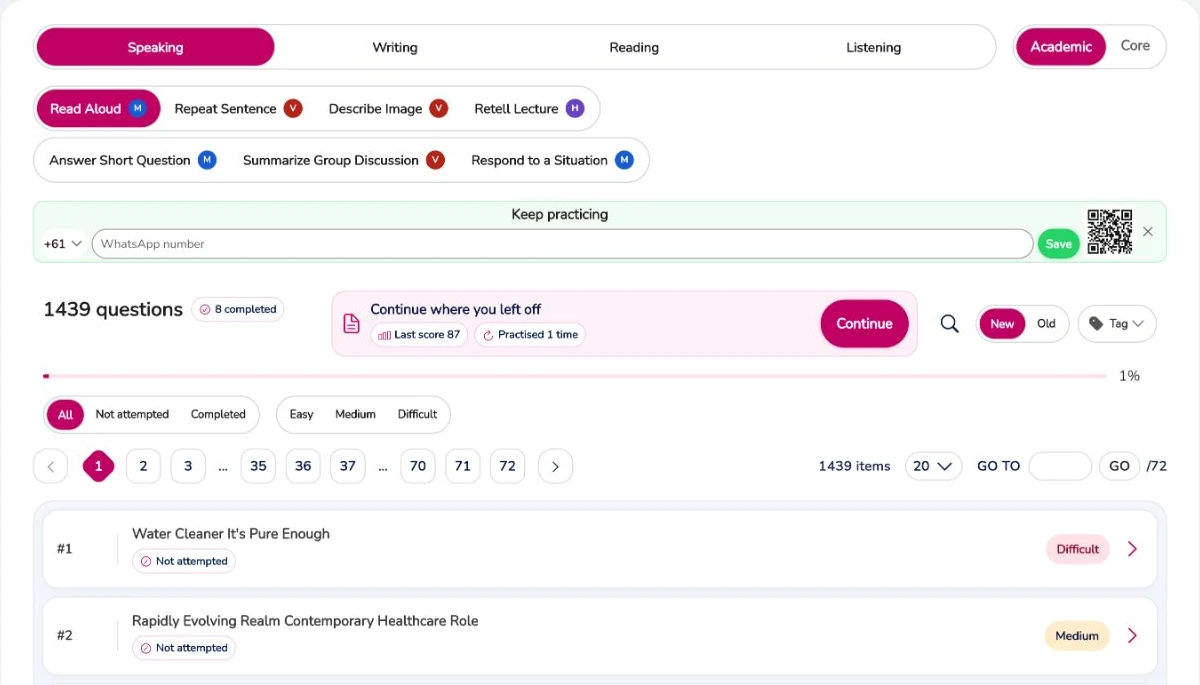
Open Practice, choose your exam and select Speaking, Writing, Reading or Listening. Task buttons take you into the relevant question library; completion and difficulty filters help you choose what comes next.
PTE Academic + PTE Core
Make your preparation a habit, not a guessing game. Practise Speaking, Writing, Reading and Listening, review your feedback and go into your next session knowing what to work on.
Start with a free account · Academic & Core
SEE IT. UNDERSTAND IT. TRY IT.
Open Practice, choose your exam and select Speaking, Writing, Reading or Listening. Task buttons take you into the relevant question library; completion and difficulty filters help you choose what comes next.
Open Practice, choose your exam and select Speaking, Writing, Reading or Listening. Task buttons take you into the relevant question library; completion and difficulty filters help you choose what comes next.
Your active day brings the next task, question count and planned time together. Follow the ordered steps instead of spending your study time deciding what to do.
The mock library separates Speaking, Writing, Reading and Listening from Full Tests. Use a sectional test for a focused session, or a full mock to practise moving through a longer test.
BUILT FOR YOUR NEXT SESSION
Work on Speaking, Writing, Reading and Listening without jumping between different preparation tools. Choose PTE Academic or PTE Core to keep your practice relevant to your exam.
Use the result and available feedback to understand your response. Your Next Step turns that review into something practical to try when you answer again.
Your Study Map helps you decide what to practise around your exam date, target score and available time. Spend your study session doing the work instead of planning it.
FROM INTENTION TO ACTION
Sign up or log in to keep your preparation connected to your account. Practice and mock tests take place inside the PTE Ultra app.
Select Academic or Core, then start with a skill you want to strengthen or follow the day shown in your Study Map.
Look at the feedback before the next question. Pick one useful change and put it into your next attempt.
GOOD QUESTIONS
A few things to make your next step clearer.
Yes. Create a free account to get started. The app shows the practice and mock-test access available to your account, with paid options if you want to continue beyond your included access.
You can practise independently with Study Map and available feedback. They help you organise your preparation and understand what to try next, whether you study on your own or alongside a tutor.
Create your account, choose your exam and open Mock Tests in the app. You can also explore our mock-test page below before getting started.
Bring your practice, feedback and daily plan together in PTE Ultra.
Start free practice